
How to Clean Your Phone and Other Devices Safely
In today’s digital world, our smartphones and electronic devices are used constantly. From calls and music to work and entertainment, these devices go everywhere with us. Over time, dust, moisture, and debris build up, especially inside speakers and ports, leading to performance issues.
Many users think their device is damaged, but in most cases, the problem is simply dirt or trapped moisture. The good news is that with the right approach, you can restore your device to full working condition without spending money on repairs or risking further damage through unsafe cleaning methods.
This comprehensive guide will walk you through the common problems caused by dirty devices, the cleaning mistakes you must avoid, and the safest, most effective way to clean your phone speakers and other devices at home.
Common Problems Caused by Dirty Devices
If your phone or electronic device is not cleaned properly, you may notice several frustrating issues that affect your daily experience:
- 🔊 Low or distorted speaker sound: Dust and debris physically block sound waves from escaping the speaker grille, resulting in muffled or quiet audio.
- 💧 Sound issues after water or moisture exposure: Even a small amount of water trapped in the speaker mesh can cause crackling, distortion, or complete audio loss.
- 📞 Difficulty hearing calls clearly: Blocked speaker grilles make conversations harder to follow, especially in noisy environments.
- 🎧 Muffled audio from earbuds or Bluetooth speakers: External audio devices are just as susceptible to debris buildup as your phone.
- 🔌 Dust blocking charging or audio ports: Accumulated lint and dust can prevent cables from connecting properly, leading to charging failures.
These issues are common and often do not require repairs if handled correctly. The key is knowing how to clean safely and effectively.
Why These Problems Happen
Think about where your phone goes throughout an average day. It sits in your pocket, collecting lint. It rests on tables and desks, picking up dust. You take it to the gym, where sweat and moisture come into contact with it. You use it in the bathroom, where humidity levels spike. All of these environments contribute to the gradual buildup of debris inside your device.
Over weeks and months, this accumulation reaches a point where it begins to affect performance. The speaker grille — which relies on tiny openings to let sound pass through — becomes partially or fully blocked. The charging port, with its exposed metal contacts, becomes clogged with compacted lint that prevents a proper connection.
Why Cleaning Your Devices Matters
Regular cleaning provides several important benefits that go beyond just aesthetics:
- Extend the life of your device: Devices that are kept clean experience less long-term wear and corrosion. Dust and moisture are two of the biggest contributors to premature hardware failure.
- Maintain clear and loud sound quality: Clean speakers deliver the audio experience the manufacturer intended. You should not have to strain to hear your music or phone calls.
- Prevent costly repairs: Professional speaker repair or replacement can be expensive, often costing a significant portion of the device’s value. Regular maintenance helps you avoid these costs entirely.
- Improve overall performance: A device free of debris simply works better — charging is more reliable, buttons feel more responsive, and audio sounds clearer.
- Protect your health: Your phone is one of the dirtiest objects you touch daily. Studies have found that smartphones can harbor more bacteria than a toilet seat. Regular cleaning reduces your exposure to these germs.
However, cleaning the wrong way can cause more harm than good. Many well-intentioned users have permanently damaged their devices by using unsafe methods, which brings us to the next critical section.
Cleaning Methods You Should Avoid
Many people damage their devices by using unsafe methods. These approaches may seem logical, but they carry serious risks:
Using Pins, Needles, or Sharp Objects
This is the most common mistake. When users see debris in their speaker grille or charging port, the instinct is to reach for something thin and pointy to dig it out. This is extremely dangerous. The speaker diaphragm behind the grille is a delicate membrane that can be easily punctured. The charging port contains sensitive pins that can bend or break. One wrong move with a sharp object can turn a simple cleaning into an expensive repair.
Blowing Hot Air Directly Into Speakers
Hair dryers and heat guns seem like a fast way to dry out moisture, but heat is the enemy of electronics. High temperatures can warp plastic components, damage battery cells, and loosen adhesive seals that keep your device water-resistant. Cold air is always the safer choice.
Pouring Liquids or Alcohol Into Ports
While isopropyl alcohol is useful for cleaning electronics when applied correctly, pouring it directly into openings is risky. Excess liquid can seep past seals and reach internal components that were never meant to get wet. Always apply liquids to a cloth first, then use the cloth to clean — never the other way around.
Shaking the Phone Aggressively
When water gets into a speaker, the natural reaction is to shake it out. But aggressive shaking can actually push water deeper into the device rather than out of it. It can also cause internal components to shift or disconnect. Gentle, controlled movements are always better.
Using Rice to Dry Out Moisture
The rice method has been popular for years, but it is largely ineffective. Rice absorbs moisture very slowly and can leave starchy dust inside your ports and speakers. Silica gel packets are far more effective and leave no residue behind.
These actions can permanently damage internal components. Once the speaker diaphragm is punctured or the charging port pins are bent, the only solution is professional repair or replacement.
The Safe Way to Clean Phone Speakers and Devices
This is where Fix My Speaker provides a smart and safe solution. Instead of physical tools or risky methods, this approach uses sound itself to clean your device from the inside out.
How Fix My Speaker Works
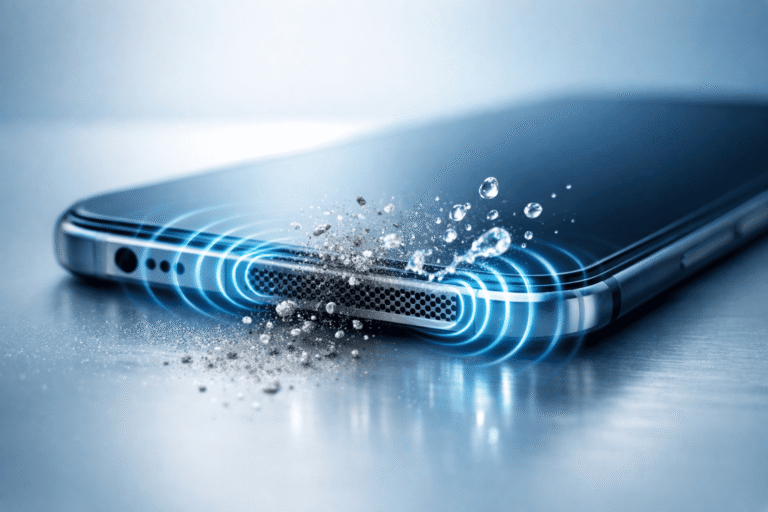
Fix My Speaker uses specially designed sound frequencies to help push out trapped water and loosen dust particles from speaker grills without opening your device or using liquids. The principle is simple but backed by physics.
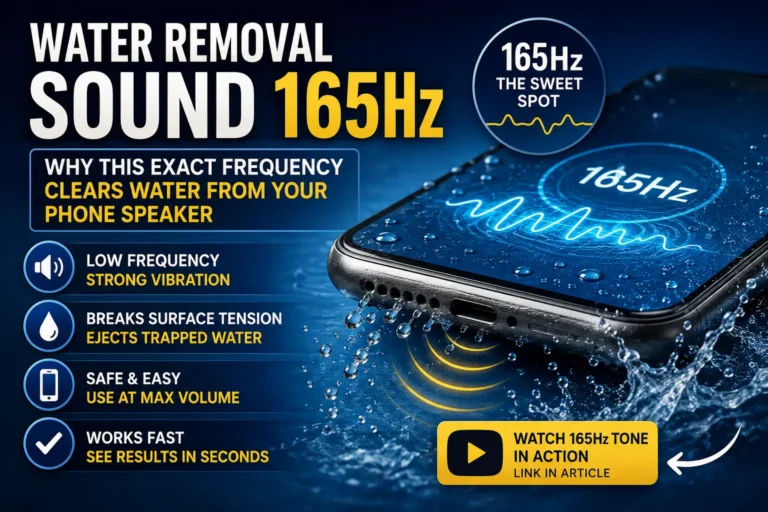
A specific low-frequency tone — typically around 165Hz — is played through your device’s speaker at maximum volume. This causes the speaker diaphragm to vibrate with significant force, creating pressure waves that physically push water droplets and loose debris out through the speaker grille opening. The process is similar to how premium smartwatches eject water after swimming mode, but it works through any device’s browser without any special hardware.
This method is completely non-invasive. Nothing touches your device except sound waves. There is no risk of physical damage because nothing enters the speaker or port openings.
Benefits of Fix My Speaker
- 🔊 Uses high-frequency sound vibrations: The frequencies are carefully calibrated to maximize cleaning effectiveness while staying within the safe operating range of all phone speakers.
- 💧 Helps remove moisture from speakers: Water that entered during rain, spills, or accidental drops is pushed out before it can cause corrosion or long-term damage.
- 🧹 Loosens and clears dust safely: Dust particles that have settled deep in the speaker mesh are vibrated loose and can be wiped away.
- 📱 No app installation required: The tool works directly from any web browser, saving storage space and avoiding permission requests.
- ⚡ Works instantly and safely: Most users notice improvement after just one 30-60 second session.
With just one click, sound plays through your speaker and helps restore clear audio. The entire process takes only a few minutes and can be repeated as often as needed.
How to Use Fix My Speaker
Using the tool is straightforward:
- Open the Fix My Speaker website in any browser on your device.
- Increase your device volume to maximum.
- Place your phone speaker-side down on a flat surface with a paper towel underneath.
- Tap the play button and let the sound run for 30-60 seconds.
- Check the paper towel for ejected water droplets.
- Repeat 2-3 times if needed until sound quality improves.
Devices You Can Clean Using Fix My Speaker
This method is effective for multiple devices, not just smartphones:
- Smartphones (Android & iPhone): All major brands and models, including Samsung Galaxy, Google Pixel, OnePlus, Xiaomi, and all iPhone models.
- Bluetooth speakers: Portable speakers from JBL, Bose, Sony, and other brands that have been exposed to moisture or dust.
- Smartwatches: Apple Watch, Samsung Galaxy Watch, and other wearables with built-in speakers.
- Tablets: iPads, Samsung Galaxy Tabs, and other tablets with speaker grilles.
- Laptops: MacBook and Windows laptop speakers that have become muffled over time.
- Earbuds and headphones: AirPods and other wireless earbuds that have been exposed to sweat or light moisture.
Any device with speaker sound issues caused by moisture or dust can benefit from this safe, non-invasive cleaning method.
Extra Tips to Keep Your Phones Clean
Prevention is always better than cure. Here are practical tips to minimize debris buildup:
- Keep devices away from water and humidity: Avoid using your phone in the bathroom during showers, and keep it away from sinks and pools.
- Use protective cases in dusty environments: If you work in construction, woodworking, or other dusty settings, a case with port covers can significantly reduce debris entry.
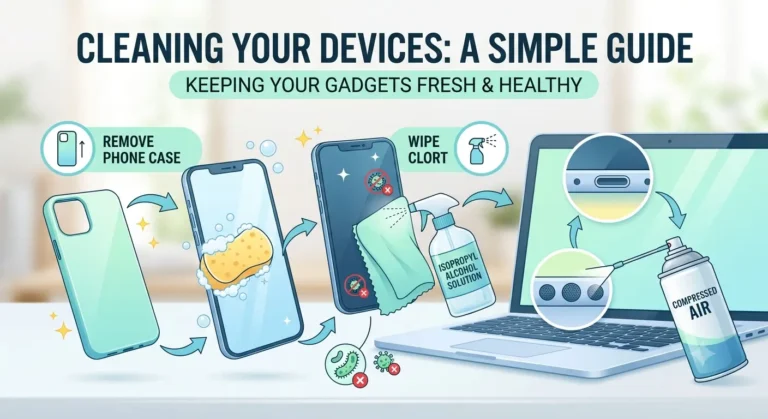
- Clean devices regularly, not aggressively: A weekly gentle cleaning with a microfiber cloth and a quick sound-based cleaning session can prevent buildup from becoming a problem.
- After water exposure, act quickly to dry the speaker: The sooner you use a sound-based ejection tool after water contact, the less chance moisture has to cause corrosion.
- Store your phone properly: Avoid placing your phone in pockets filled with lint or in bags with loose debris.
- Use silica gel packets: Keep a few silica gel packets in your bag or phone case for emergency moisture absorption.
Frequently Asked Questions
How often should I clean my phone speakers?
For most users, a sound-based cleaning once every 1-2 weeks is sufficient. If you work in dusty environments or frequently expose your phone to moisture, weekly cleaning is recommended.
Can sound-based cleaning damage my speakers?
No. The frequencies used are within the safe operating range of all modern phone speakers. This is the same technology used by manufacturers themselves for water ejection.
What if the sound does not improve after cleaning?
If you have tried 3-5 cleaning cycles and the audio quality has not improved, the issue may be hardware-related rather than caused by debris. In that case, professional inspection is recommended.
Is this method effective for saltwater exposure?
The tool helps eject the liquid, but saltwater leaves corrosive residue behind. After using the sound tool, rinse the speaker area gently with fresh water, then run the tool again to eject the fresh water. Seek professional help if issues persist.
Can I use this method for my charging port?
The sound tool can help eject moisture from the charging port when the phone is held with the port facing downward. However, for debris stuck in the port, a wooden toothpick or compressed air is more effective.
Final Thoughts
If your device’s sound is not clear, it does not always mean it is broken. In many cases, the issue is trapped dust or moisture, and Fix My Speaker offers an easy, safe, and effective way to solve the problem at home. By avoiding dangerous cleaning methods and using sound-based technology instead, you can restore your audio quality in minutes without risking damage to your valuable devices.
Remember: the key to keeping your devices in top condition is regular, gentle maintenance. A few minutes of care each week can add years to the life of your phone and ensure you always enjoy the clear, loud sound you deserve.