Your Phone Speaker Sounds Muffled, Distorted, or Low?
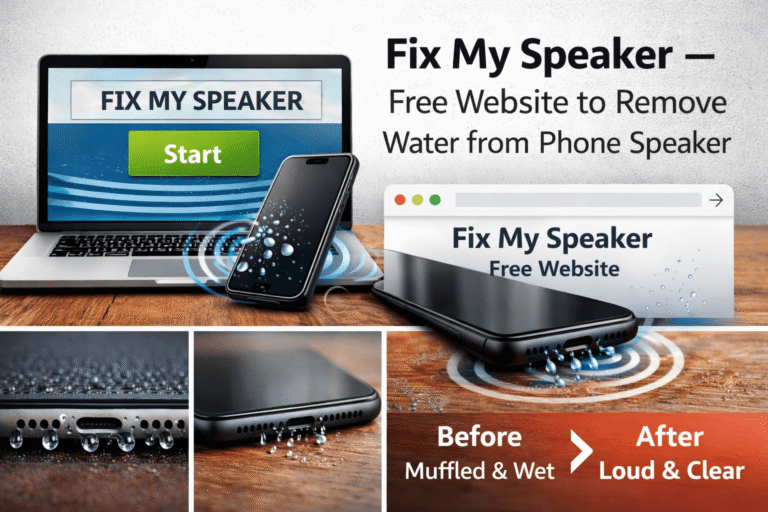
FixMySpeaker helps you clean water, dust, and debris from your speaker using safe sound frequencies — directly from your browser.
No app. No downloads. No risk.
If you have ever dropped your phone in water, been caught in the rain, or simply noticed your speaker sounds worse than it used to, you are not alone. Speaker problems are among the most common issues smartphone users face. The encouraging news is that most of these problems are temporary and fully fixable without spending money on repairs.
This guide explains how FixMySpeaker works, why it is the safest choice for cleaning your device, and how to get the best results in just a few seconds.
How Fix My Speaker Works
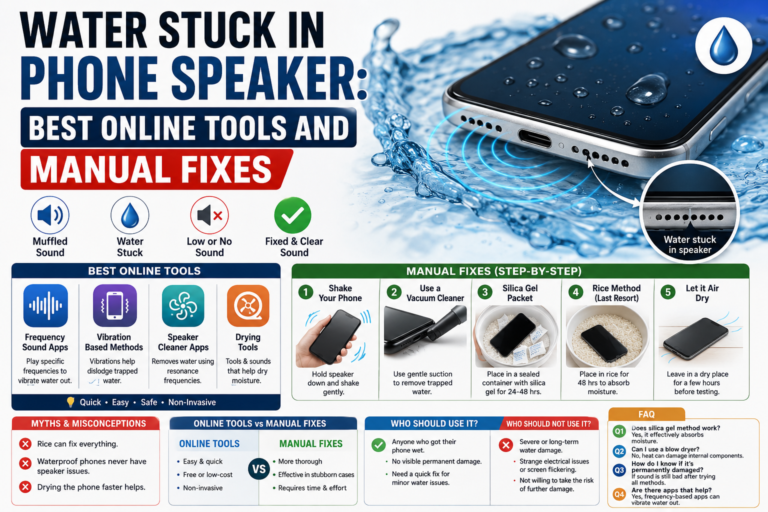
FixMySpeaker uses specially designed audio vibrations that help push out trapped water and dust from your phone speaker. The technology is simple yet effective, grounded in the physics of sound waves and speaker mechanics.
The Science Behind the Solution
Every phone speaker contains a diaphragm — a thin membrane that vibrates rapidly to produce sound waves. When water enters the speaker grille, it surrounds this diaphragm and prevents it from moving freely. The result is muffled, distorted, or quiet audio.
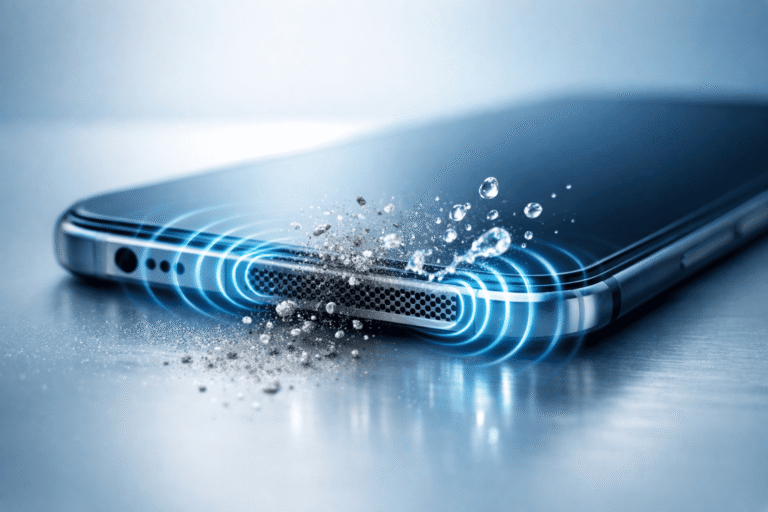
FixMySpeaker plays a carefully calibrated low-frequency tone — typically around 165Hz — through your speaker at maximum volume. This specific frequency causes the diaphragm to vibrate with significant physical force, creating pressure waves that push water droplets toward the speaker opening where they can escape. The same vibrations also loosen dust and debris that have settled into the speaker mesh over time.
This is the exact same principle used by premium smartwatches for their built-in water ejection features. FixMySpeaker makes this technology available to any device with a speaker and a browser.
Simple Steps to Clean Your Speaker
- Open FixMySpeaker on your device using any browser.
- Press the sound button to begin the cleaning tone.
- Let the sound play for 30 to 60 seconds.
- Hold your phone speaker-side down over a paper towel or cloth.
- Watch for water droplets appearing near the speaker opening.
- Hear the difference instantly — most users notice improvement after just one session.
For stubborn moisture or heavy dust buildup, repeat the process 2 to 3 times. Each cycle pushes out additional debris, progressively restoring your speaker to full clarity.
Why Choose FixMySpeaker?
With so many cleaning methods available, here is why FixMySpeaker stands out as the superior choice:
✅ Works on Android & iPhone
Compatible with all major smartphone brands and models, including Samsung Galaxy, Google Pixel, OnePlus, Xiaomi, and every iPhone from the iPhone SE to the latest iPhone 16. The tool also works on tablets, laptops, smartwatches, and Bluetooth speakers.
✅ No App Installation Required
Runs directly in any browser — Chrome, Safari, Firefox, Edge, or any other modern browser. No downloads, no storage space consumed, no permissions requested. Just open the website and start cleaning.
✅ Safe for Daily Use
Uses only sound frequencies within the safe operating range of all phone speakers. There is no risk of physical damage because nothing enters your device — only sound waves. You can use it as often as needed without worrying about wear and tear.
✅ Helps Improve Sound Clarity
Restores muffled audio to clear, crisp quality. Whether your speaker sounds quiet, crackly, or completely blocked, the cleaning tones address the root cause — trapped debris — rather than just masking the symptoms.
✅ Free and Easy to Use
No sign-up, no payment, no hidden fees, no premium versions. The tool is completely free for unlimited use. The interface is designed to be intuitive — just one button to press, no complicated settings to configure.
✅ Tested on Multiple Devices
Proven effective across hundreds of device models. User feedback consistently reports noticeable improvement after just one session, with many users successfully avoiding repair shop visits entirely.
Whether your phone fell in water or collected dust over time, FixMySpeaker helps bring back clear audio without costing you anything.
When Should You Use It?
FixMySpeaker is effective in a wide range of situations:
After Water Exposure
- Phone fell in a sink, toilet, puddle, or pool.
- Phone got wet from rain or snow.
- Phone was used in a steamy bathroom or humid kitchen.
- Drink spilled near the speaker area.
When Sound Quality Declines
- Speaker volume feels low even at maximum settings.
- Sound is crackling, muffled, or unclear.
- Music lacks clarity and presence.
- Phone calls are difficult to hear clearly.
For Routine Maintenance
- You notice visible dust or lint in the speaker grille.
- You work in dusty or dirty environments.
- You want to prevent long-term buildup that leads to permanent damage.
Regular use can help maintain better speaker performance over time. Just like you clean your screen and case, your speaker needs occasional maintenance too. A quick session once every week or two can prevent debris from accumulating to the point where it affects sound quality.
Safe & Browser-Based Tool
FixMySpeaker does not access your data, camera, or microphone. It runs directly in your browser and does not store any personal information.
Your privacy matters. The tool operates entirely on the client side — meaning all the sound processing happens on your device, and nothing is ever uploaded to a server. There are no accounts to create, no permissions to grant, and no tracking of any kind.
This stands in stark contrast to many mobile apps that request unnecessary permissions or collect user data in the background. With FixMySpeaker, what happens on your device stays on your device.
No Risk of Physical Damage
Unlike cleaning methods that involve inserting objects into the speaker grille — like toothpicks, pins, or compressed air — FixMySpeaker never makes physical contact with your device. The speaker diaphragm is delicate and easily punctured. Sound waves clean safely from the inside out without risking accidental damage.
Works Anywhere, Anytime
You do not need a technician or repair shop. Just open FixMySpeaker and clean your speaker in seconds — at home, at work, or on the go. All you need is an internet connection and a device with a speaker.
The tool is fully mobile-responsive, meaning it works perfectly on phones, tablets, laptops, and desktops alike. The interface adapts to any screen size automatically.
Perfect for Emergency Situations
Imagine you are at the beach and a wave splashes your phone. Or you are cooking and your device falls into the sink. In these moments, speed matters. The faster you remove water from your speaker, the less chance it has to cause corrosion or long-term damage. FixMySpeaker is available instantly — no need to wait until you get home or find a repair shop.
Trusted by Users Worldwide
Thousands of users rely on FixMySpeaker to restore phone sound without spending money on repairs. From accidental drops in the sink to speakers clogged by months of pocket lint, this tool has helped people avoid unnecessary repair shop visits and keep their devices sounding great.
Real User Experiences
Users consistently report:
- Water droplets visibly ejected after the first session.
- Muffled calls becoming crystal clear again.
- Music and videos sounding as good as when the phone was new.
- Avoiding repair costs that would have been significant.
Clear sound. Simple solution.
What FixMySpeaker Cannot Fix
While the tool is highly effective for water and dust issues, it is important to understand its limitations:
- It cannot repair physically damaged speakers, such as torn diaphragms or burned voice coils.
- It cannot fix software-related audio problems.
- It cannot reverse corrosion that has already caused permanent damage.
- It is less effective for sticky substances like syrup or oil that require physical cleaning.
If your speaker produces no sound at all — even after multiple cleaning cycles — the issue may be hardware-related and require professional inspection.
Frequently Asked Questions
How many times should I run the sound?
For light dust or moisture, one session of 30-60 seconds is usually enough. For more stubborn issues, repeat 2-3 times until the sound improves noticeably.
Can this damage my speaker?
No. The frequencies used are within the safe operating range of all modern phone speakers. This is the same technology used by smartwatch manufacturers for water ejection.
Does it work for saltwater exposure?
The tool helps eject the liquid, but saltwater leaves corrosive residue behind. After using the tool, rinse the speaker gently with fresh water, then run the tool again to eject the fresh water. Seek professional help if issues persist.
Is it really free?
Yes, completely. No hidden charges, no premium versions, no subscriptions, no ads that block functionality.
What devices can I use it on?
Any device with a speaker and a browser — smartphones, tablets, laptops, Bluetooth speakers, and smartwatches.
Do I need an internet connection?
Yes, the tool is web-based and requires an internet connection to load. However, it uses very little data.
Comparison with Other Methods
| Method | Effectiveness | Safety | Cost | Time |
|---|---|---|---|---|
| FixMySpeaker | High | Very Safe | Free | 1-2 min |
| Rice | Low | Safe | Free | 24-48 hrs |
| Hair Dryer | Low | Risky | Free | Variable |
| Compressed Air | Medium | Risky | $5-10 | 2-5 min |
| Repair Shop | High | Safe | $50-150 | Days |
FixMySpeaker offers the best combination of speed, safety, and cost — making it the ideal first step for any speaker issue.
Start Cleaning Your Speaker Now
Tap the button and experience the difference yourself. Your speaker deserves better sound — and FixMySpeaker delivers it in seconds, completely free, with zero risk to your device. Whether you are dealing with an emergency water spill or simply maintaining your device’s audio quality, this tool is the smart choice.