how-to-clean-phone-speaker-without-opening-it
AirPods slipping out during a sweaty run, getting caught in the rain, or taking an accidental dunk in the sink is more common than most people admit. When it happens, the first instinct for many is to search for a water eject sound for AirPods — the same low-frequency trick that’s become popular for phones. It can genuinely help. But AirPods are smaller, more delicate, and built differently than a phone speaker, which means this method needs to be used more carefully here than anywhere else.
This guide walks through how a water eject sound actually works on AirPods, when it helps, when experts recommend caution instead, and the full process for getting your AirPods dry and working again safely.

Why AirPods Are Different from Phones When It Comes to Water
Most modern phones carry an official IP rating and are engineered with water-resistant seals around the speaker and charging port. AirPods are a different story: only certain models (like AirPods Pro) carry an IPX4 sweat and water resistance rating, and even that only protects against light splashes, not submersion. Standard AirPods have no water resistance rating at all.
That means water finding its way into the speaker mesh or, worse, the internal circuitry, carries a higher risk with AirPods than with a modern smartphone. This is exactly why the advice around using a water eject sound on AirPods comes with more caveats than the advice for phones.
How a Water Eject Sound Works on AirPods
The underlying physics is the same one used for phone speakers: a calibrated low-frequency tone makes the tiny speaker diaphragm inside each AirPod vibrate forcefully. That vibration breaks the surface tension holding water droplets against the fine mesh grille and pushes them outward, away from the driver.
Because AirPods speakers are so much smaller than a phone’s, some tools adjust their approach slightly — using a somewhat lower volume than they would for a phone, since AirPods’ tiny drivers are considered more delicate, while still working within the frequency range known to generate the strongest membrane movement.
When a Water Eject Sound Genuinely Helps
This method is best suited to light, surface-level water exposure:
- A light splash while washing your hands or doing dishes
- Sweat buildup from a workout or run
- Getting caught briefly in the rain
- A small amount of water on the outer mesh, without submersion
In these situations, water is likely sitting on the surface mesh rather than having penetrated deeper into the internal circuitry, which is exactly where sound-based ejection is most effective and lowest-risk.
When to Be Cautious Instead
This is the part that gets skipped in a lot of quick “just play this sound” guides, and it matters. If your AirPods were fully submerged, dropped in a pool, or soaked through completely — not just lightly splashed — some audio and repair experts specifically advise against immediately playing a loud water-ejection tone. The concern is that turning on and running the speaker while water may already be sitting against internal circuitry can, in some cases, contribute to a short rather than help.
If you’re dealing with heavier water exposure, drying first and testing carefully afterward is the safer sequence, rather than reaching straight for a loud tone.
Step-by-Step: How to Safely Use a Water Eject Sound on AirPods
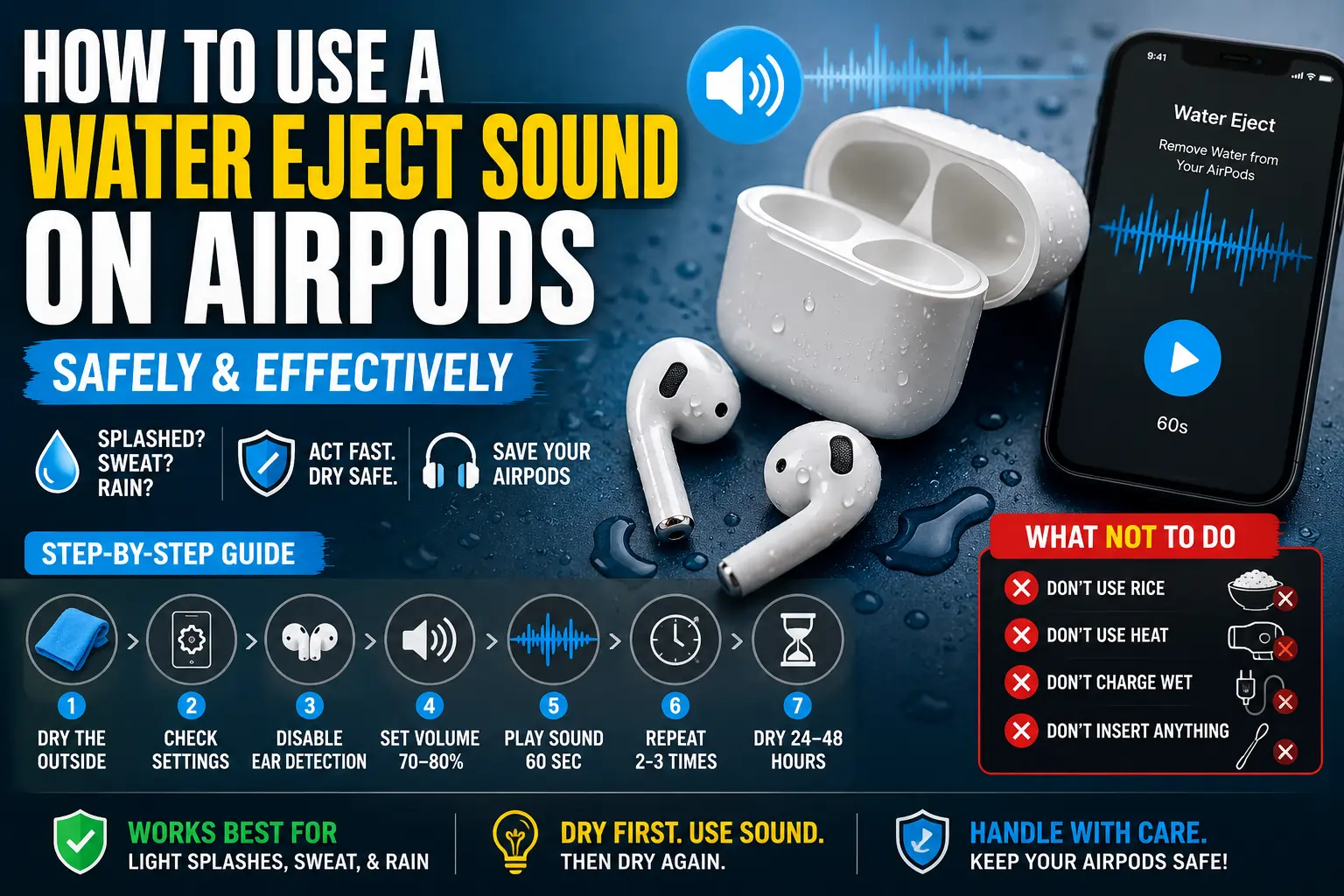
Step 1: Dry the Outside First
Use a soft, lint-free cloth to gently wipe down each AirPod and the charging case. If you have AirPods Pro, remove the silicone ear tips to check for and wipe away any trapped moisture underneath.
Step 2: Check Headphone Safety Settings on iPhone
Open Settings, go to Sounds & Haptics, and select Headphone Safety. If “Reduce Loud Sounds” is turned on, it may limit how loud the water-eject tone can play. Turning this off temporarily can help the tone reach an effective volume.
Step 3: Disable Automatic Ear Detection
In your AirPods settings, turn off Automatic Ear Detection temporarily. This prevents playback from pausing simply because the AirPods aren’t in your ears while you’re running the water-eject process.
Step 4: Set Volume Appropriately
Turn your iPhone’s volume up, but not necessarily all the way to maximum — many water-eject tools intentionally recommend a slightly lower level (commonly cited around 70–80%) for AirPods specifically, since their drivers are smaller and more delicate than a phone speaker.
Step 5: Play the Water Eject Sound
Run the tone for about 60 seconds per AirPod. You may notice tiny droplets appearing on the mesh as it works — this is a normal sign the process is doing its job.
Step 6: Repeat With Breaks
Run two to three cycles per AirPod, with a five-minute break between each one, rather than one long continuous session.
Step 7: Let Them Dry Fully
After the sound cycles, leave your AirPods out of the case, in a dry, well-ventilated spot, for at least 24 hours before charging or heavy use. Some cases benefit from an additional 24 hours with silica gel packets nearby.
Watch: How to Eject Water from AirPods
If you’d like a visual walkthrough of the process, this video demonstrates safe methods for removing water from AirPods:
What NOT to Do When AirPods Get Wet
- Don’t rely on rice. It absorbs ambient humidity extremely slowly, and rice dust or starch particles can work their way into the speaker mesh and microphone ports, adding a second problem on top of the water.
- Don’t use a hair dryer or other heat source. Heat can warp internal components and adhesives.
- Don’t charge wet AirPods. Moisture near the charging pins increases the risk of a short circuit — always dry the case and pins fully first.
- Don’t blast a loud water-eject tone immediately after full submersion. Wipe, dry, and test cautiously first in these more serious cases.
- Don’t insert anything into the speaker mesh, including cotton swabs, pins, or toothpicks.
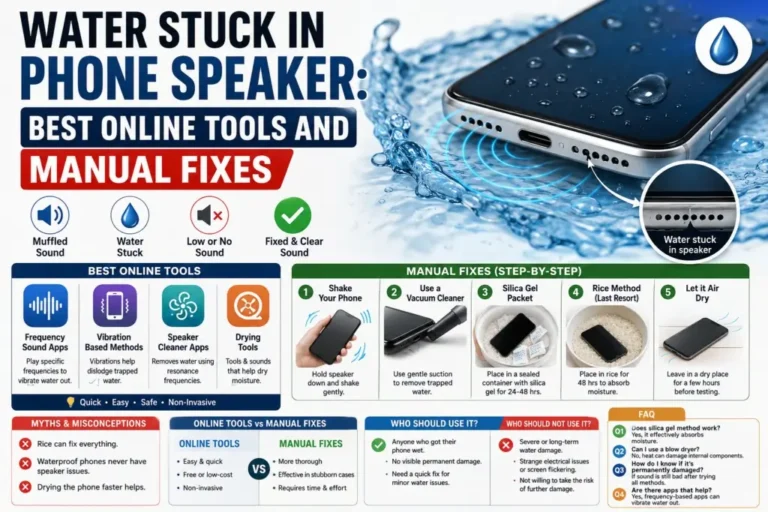
Water Eject Sound vs. Other AirPods Drying Methods
| Method | Best For | Notes |
|---|---|---|
| Water eject sound | Light splashes, sweat, minor exposure | Fast, but use moderate volume, not maximum |
| Silica gel packets | Ambient moisture, heavier exposure, aftercare | Slower (24–48 hours) but gentle and thorough |
| Soft cloth wipe-down | Surface moisture on the case and exterior | Always do this first, regardless of other methods |
| Rice | Not recommended | Slow, unreliable, and can introduce dust/starch |
How to Tell If Your AirPods Are Fully Dry
After following the steps above, test carefully:
- Play audio at a low volume first rather than jumping straight to full volume.
- Listen for any crackling, distortion, or one-sided muffling that wasn’t there before.
- Check that the charging case connects and charges normally, without heat or unusual behavior.
- If sound still seems muffled after 24–48 hours of drying and a few water-eject cycles, don’t keep repeating the process indefinitely — that’s a sign it’s time to consider Apple Support.
When to Contact Apple Support Instead
Sound-based water ejection and proper drying resolve the majority of light water exposure cases, but professional support is worth considering if:
- Your AirPods were fully submerged for more than a few seconds
- Sound remains muffled, distorted, or absent after 48 hours of drying and multiple gentle cleaning attempts
- The charging case shows signs of corrosion, discoloration, or won’t charge at all
- Battery life has dropped noticeably since the water exposure
Apple offers out-of-warranty service for AirPods, and depending on the model and damage, replacing an individual AirPod is sometimes more cost-effective than a full repair.
Frequently Asked Questions
Does a water eject sound really work on AirPods?
Yes, for light water exposure. The vibration created within the effective frequency range genuinely helps dislodge water sitting on the surface mesh. It’s less reliable, and riskier, if water has already reached deeper internal components.
Is it safe to use a water eject sound at full volume on AirPods?
Many water-eject tools recommend a slightly reduced volume for AirPods specifically — commonly around 70–80% rather than maximum — since AirPods’ drivers are smaller and more delicate than a typical phone speaker.
How long should I wait before using AirPods after they get wet?
At least 24 hours of drying is generally recommended, and up to 48 hours for more thorough drying, especially if the exposure was more than a light splash.
Can water damage to AirPods be permanent?
Yes, if water reaches internal components, damage can be permanent, particularly for standard AirPods without any water resistance rating. Acting quickly with gentle drying methods reduces this risk considerably.
Should I put wet AirPods in rice?
It’s not recommended. Rice absorbs moisture far too slowly to be reliable, and rice dust or starch particles can get into the speaker mesh and cause additional problems on top of the original water exposure.
Final Thoughts
A water eject sound can genuinely help clear light water exposure from AirPods, but it deserves more care here than the same method applied to a phone. Use a moderate volume rather than maximum, dry thoroughly before and after, and reserve caution — not a loud tone — for anything beyond a light splash. Handled this way, most everyday water mishaps with AirPods clear up within a day, without any lasting damage.