Free Online Speaker Cleaner Tool: The Complete 2026 Guide to Fixing a Muffled, Wet, or Dusty Phone Speaker
Learn how a free online speaker cleaner tool uses sound waves to remove water and dust from your phone speaker in minutes — no app, no rice, no risk. Full guide, video, and FAQs inside.
That One Sound Every Phone Owner Learns to Love
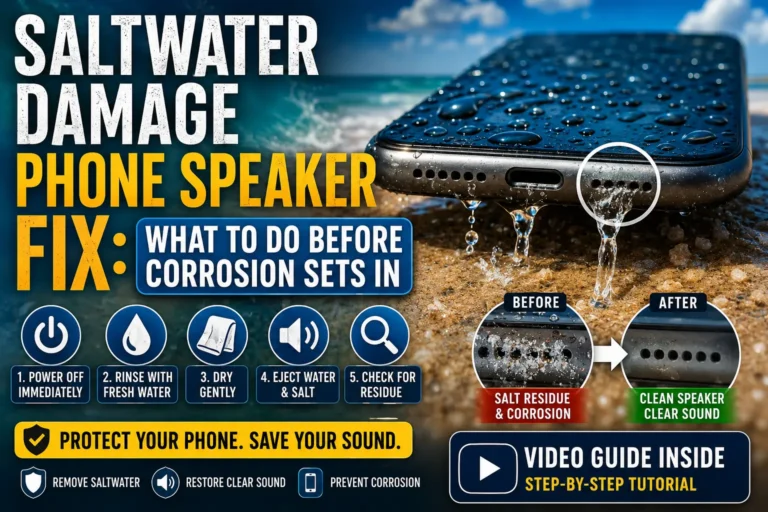
There is a very specific kind of panic that hits when your phone slips out of your hand at the pool, gets caught in a sudden downpour, or ends up face-down on a gym bench soaked in sweat. The screen still lights up, which feels like a small win — until you try to play a voice note or take a call and all you get back is a tinny, underwater-sounding mess. Something has gotten into the speaker grille, and it is not coming out on its own.
For years, the default advice was “stick it in a bag of rice and wait.” It is the kind of tip that gets repeated so often that nobody stops to ask whether it actually works (spoiler: not very well, and not very fast). Today, a much better fix has quietly become mainstream: a speaker cleaner tool online free that uses nothing but sound to shake the moisture and grime loose. No downloads, no disassembly, no dry rice grains stuck in your charging port for a week.
This article walks through exactly how these tools work, why they have become the go-to fix for millions of phone owners, how to use one safely, and what to expect in terms of results. There is also a demonstration video further down so you can see and hear the process in action before trying it yourself.
A speaker cleaner tool is a small piece of software — usually a website, sometimes an app — that plays a carefully engineered audio tone through your device’s speaker. That tone is not music or a ringtone; it is built to sit at specific frequency ranges that make the speaker cone or diaphragm vibrate in a targeted way.
Those vibrations do two useful things:
- They break the surface tension of trapped water droplets, so gravity and airflow can finally push the liquid back out through the speaker mesh.
- They physically jostle loose dust, lint, and debris that has packed into the tiny holes of the grille over weeks or months of pocket use.
Because the entire process happens through sound rather than physical tools, there is no need to open the phone, poke at the speaker with a toothpick, or apply heat. It is a browser-based, zero-installation experience — you open a page, press play, and let the vibrations do the work.
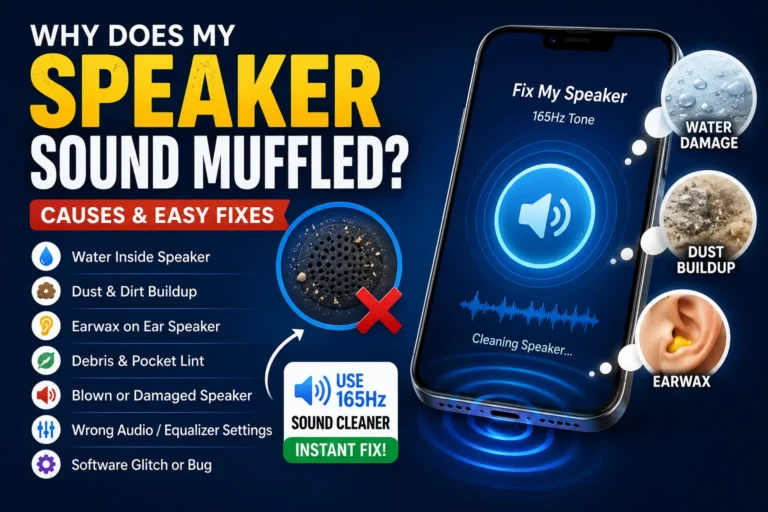
A muffled or crackling speaker is one of the clearest signs that water or dust has gotten trapped in the grille.
Why Does This Actually Work? A Quick Look at the Science
It sounds almost too simple — play a sound, water comes out — but the underlying physics has been used in consumer electronics for a while. Smartwatches with water-resistance ratings have long included a built-in “water eject” feature that plays a low-frequency tone after a swim to clear the speaker. The same principle scaled up is what powers most modern speaker cleaner tools.
Here is the general logic:
- Low frequencies (around 150–200 Hz) create larger, slower vibrations in the speaker diaphragm. These are effective at dislodging bigger water droplets because the movement is strong enough to overcome the water’s grip on the mesh.
- Mid-to-high frequencies (around 300–4000 Hz) vibrate faster and in smaller motions, which is better suited to loosening fine dust and lint particles that have packed tightly into the speaker holes.
- Sweeping or alternating tones combine both ranges in a single sequence, essentially running two cleaning modes back-to-back so the tool can handle mixed cases — say, sweaty gym use followed by an accidental splash.
None of this requires special hardware on your end. Your phone’s existing speaker is already capable of producing these frequencies; the “cleaner” is really just a precisely composed audio file designed to exploit that capability for a physical, mechanical purpose rather than for listening pleasure.
Why People Are Ditching the Rice Method
The rice trick has been phone-repair folklore for over a decade, but it has some real shortcomings that are worth spelling out:
- It is slow. Rice needs 24–48 hours to pull out moisture through simple absorption, and there is no guarantee it reaches water sitting behind the speaker mesh.
- It leaves residue. Rice dust and starch particles can get pulled into the same tiny holes you are trying to clear, sometimes making the problem worse.
- It does nothing for dust. Rice only addresses moisture. If your speaker sounds muffled because of pocket lint rather than water, rice will not help at all.
- It offers no feedback. You cannot tell if it worked until you try to play audio again, days later.
A free online speaker cleaner tool solves all four problems at once: it works in minutes rather than days, it does not introduce new debris, it handles both water and dust, and you get instant audio feedback — you can literally hear the sound clarity improve as you repeat the cycles.
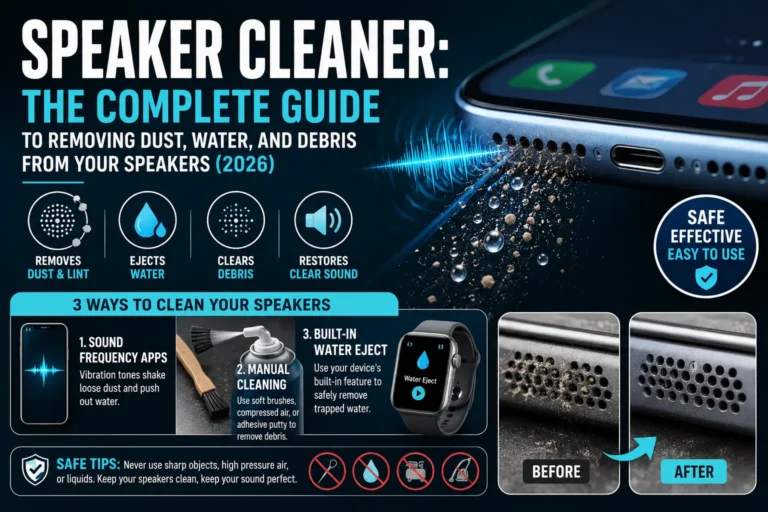
Dust and lint accumulate in speaker mesh over time, even without any water exposure.
Step-by-Step: How to Use a Free Speaker Cleaner Tool
Using one of these tools is intentionally simple, but a few small habits make a big difference in how effective the cleaning cycle is.
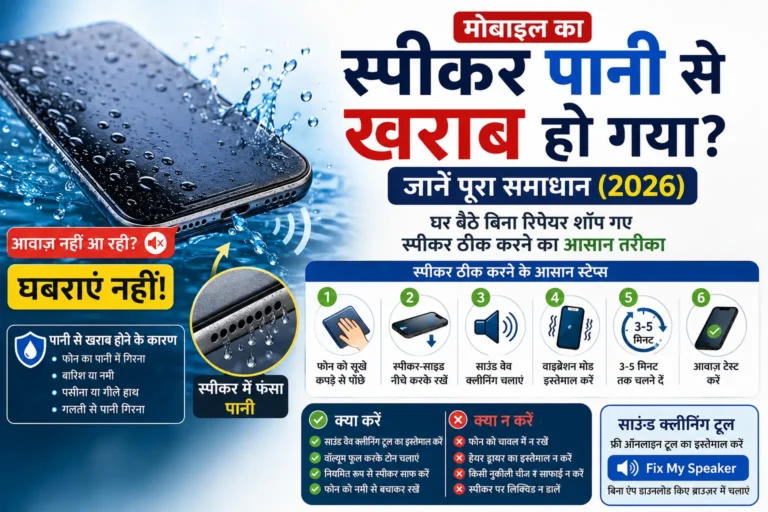
Step 1: Power Down First If Water Exposure Was Recent
If your phone just went into water, turn it off before doing anything else. This reduces the risk of a short circuit while moisture is still present. Gently pat the exterior dry with a soft cloth — do not use a hair dryer, heat gun, or direct sunlight, since heat can push moisture deeper into the device or warp internal components.
Step 2: Remove the Case
Cases, especially thick or waterproof ones, can muffle the sound waves before they ever reach the speaker mesh. Take it off for the duration of the cleaning process.
Step 3: Open the Tool in Your Browser
Since it is a speaker cleaner tool online free, there is nothing to install. Open the site on your phone’s browser (Safari, Chrome, or whichever you use) rather than a desktop, since the sound needs to come from the phone’s own speaker.
Step 4: Turn the Volume All the Way Up
The vibrations only work if the tone is loud enough to physically move the diaphragm. Set your media volume to maximum before pressing play.
Step 5: Position the Phone Speaker-Down
Tilt the phone so the speaker grille faces downward. This lets gravity assist the sound waves in pushing water out rather than deeper in.
Step 6: Run the Cycle Two or Three Times
Most tools run a single cycle for 30–60 seconds. If your phone was heavily soaked, repeat the cycle two to three times, checking sound quality between each pass.
Step 7: Test With a Real Sound
Once the cleaning cycle finishes, play a voice note, a song, or make a quick call to check whether the muffled or crackly quality is gone. If there is still some distortion, run one more cycle.
Watch It In Action
Seeing and hearing the process helps a lot before you try it yourself — here is a demonstration of a water-ejection sound cycle in use:
📺 Video: Remove Water From Speaker With Sound
https://www.youtube.com/watch?v=qhItAtZDzU8
Does It Work on Every Device?
One of the appeals of browser-based tools is that they are not locked to a single operating system or brand. Since the cleaning happens through the standard speaker output rather than a proprietary chip, it generally works across:
- iPhones, from older models through the newest releases
- Android phones across major brands like Samsung, Google, OnePlus, and Xiaomi
- Tablets, since most use the same type of small speaker grille
- Smartwatches, which is actually where this method originated
- Bluetooth speakers and earbuds, by playing the tone through the connected device
The main variable is not the brand — it is the size and design of the speaker mesh, which affects how many cycles are needed and how loud the volume has to be.
When a Sound-Based Cleaner Might Not Be Enough
To keep expectations realistic: this method is excellent for surface-level dust and typical splash exposure, but it is not magic. A few situations are worth flagging:
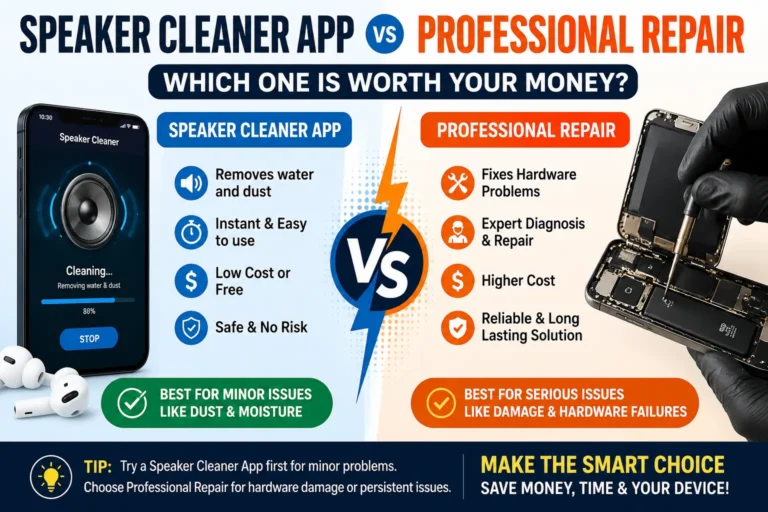
- Deep submersion for extended periods may cause internal corrosion that no amount of sound can reverse. If your phone was fully submerged for more than a few minutes, professional inspection is a safer bet.
- Physical damage to the speaker cone (from a drop or manufacturing defect) will not be fixed by vibration, since the underlying issue is not blockage.
- Persistent distortion after several cleaning attempts is a signal to stop repeating cycles and instead get the device looked at, since something other than debris may be going on.
Used within its intended purpose — clearing water and dust — a speaker cleaner tool solves the vast majority of everyday muffled-speaker complaints quickly and without risk.
A quick sound cycle is often all it takes to restore clear audio after everyday water or dust exposure.
Frequently Asked Questions
Is an online speaker cleaner tool actually free to use?
Yes. Most of these tools run entirely in the browser and are free, since they are simply playing an audio file — there is no hardware or subscription involved.
Will the sound damage my speaker if I use it too often?
Used at normal listening volumes for short cycles, the tones are no more damaging than any other audio your phone plays regularly. It is a good idea to avoid running it back-to-back for extended periods, just as you would with any prolonged max-volume playback.
How is this different from the Apple Watch water-eject feature?
It is the same underlying idea — a low-frequency tone that vibrates the speaker to push out water — just made available for phones and other devices through a website instead of being built into the operating system.
Can I use this on AirPods or wireless earbuds?
Yes, as long as the earbuds are connected and playing audio through their own speaker driver, the same vibration principle applies.
How often should I clean my speaker for maintenance, even without water exposure?
Running a quick cycle every couple of weeks helps clear the dust that naturally builds up from everyday pocket and bag use, before it becomes a noticeable problem.
What should I do if the muffled sound does not improve after a few cycles?
If repeated cycles do not help, the issue may not be simple debris — it could be internal damage. At that point, it is worth having the device checked by a professional rather than continuing to run cleaning cycles.
Final Thoughts
A muffled phone speaker used to mean either living with tinny audio or opening up the phone yourself and risking real damage. A free online speaker cleaner tool offers a much simpler middle path: no app store download, no waiting days for rice to work, and no tools near your device’s internals. Just open the page, turn up the volume, and let a few carefully tuned seconds of sound do what water and dust removal used to take hours to accomplish.
Whether it is a splash from an unexpected rain shower, a sweaty workout, or months of everyday pocket lint, a quick sound cycle is often all that stands between you and clear audio again.
Have you tried a sound-based speaker cleaner before? Share your experience or questions in the comments below, and do not forget to bookmark this guide for the next time your phone takes an unexpected dip.