Speaker Cleaner: The Complete Guide to Removing Dust, Water, and Debris from Your Speakers (2026)
Introduction
If your phone speaker suddenly sounds muffled, tinny, or unusually quiet, the problem is rarely the hardware itself. In most cases, it is dust, lint, or trapped water blocking the tiny mesh grille that protects the speaker driver. This is where a speaker cleaner comes in — a tool or technique designed to clear out debris and restore your speaker’s original sound quality without opening up the device or risking damage.
This guide explains what speaker cleaners are, how they work, when you actually need one, and how to use them safely on phones, laptops, and Bluetooth speakers.
What Is a Speaker Cleaner?
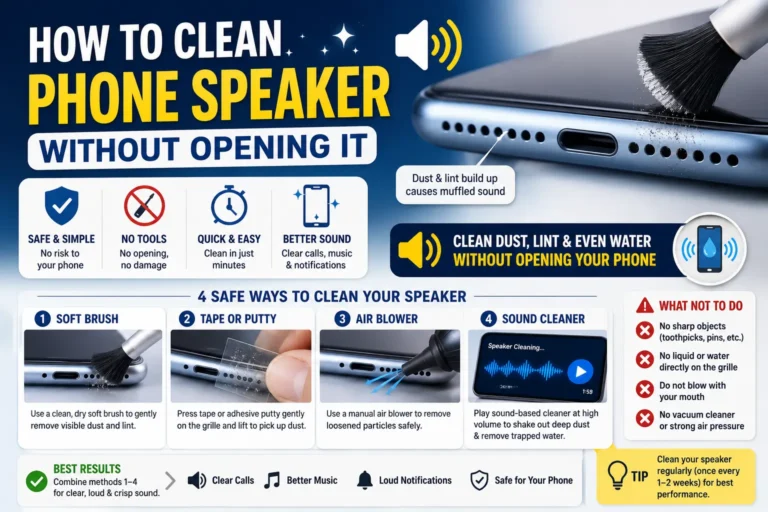
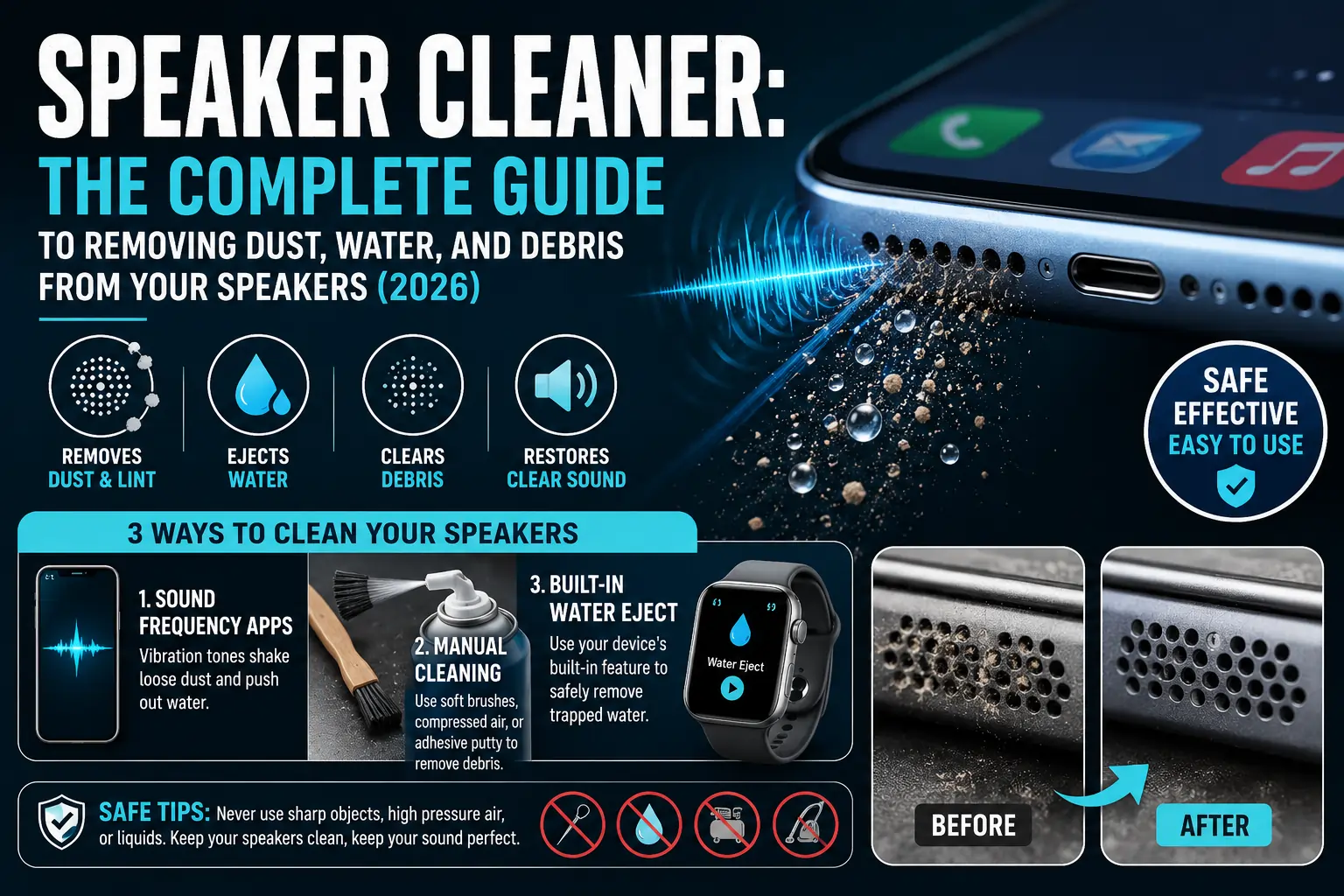
A speaker cleaner is any method — app-based, mechanical, or manual — used to dislodge dust, moisture, or debris from a speaker’s grille and internal chamber. There are three broad categories:
- Sound-frequency cleaner apps — Apps that play a specific range of vibration-inducing tones through your speaker to physically shake loose dust or push out trapped water droplets.
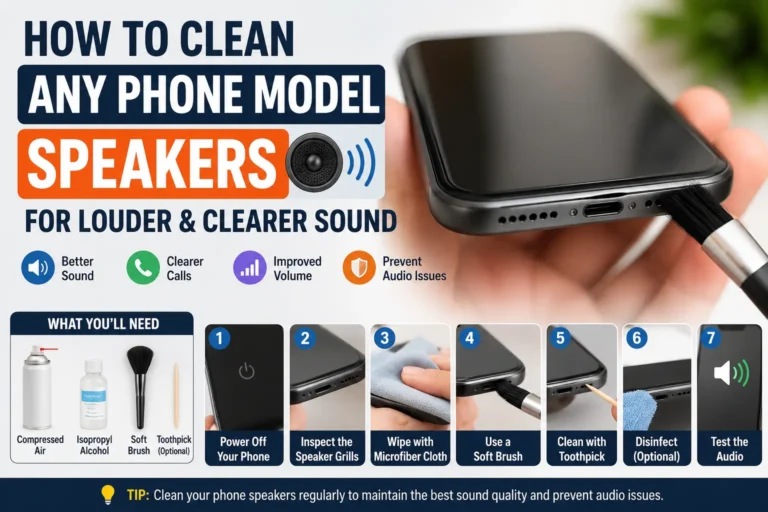
- Manual cleaning tools — Soft brushes, compressed air, and adhesive putty used to physically remove visible debris.
- Built-in water ejection features — Some smartwatches and phones have a native water-eject shortcut that uses the same sound-vibration principle as third-party apps.
Each method targets the same underlying issue: something is physically obstructing the speaker’s diaphragm, and that obstruction needs to be moved or removed for sound to pass through clearly again.
Why Does a Speaker Get Blocked in the First Place?
Speakers are small, exposed openings on a device, which makes them naturally vulnerable to:
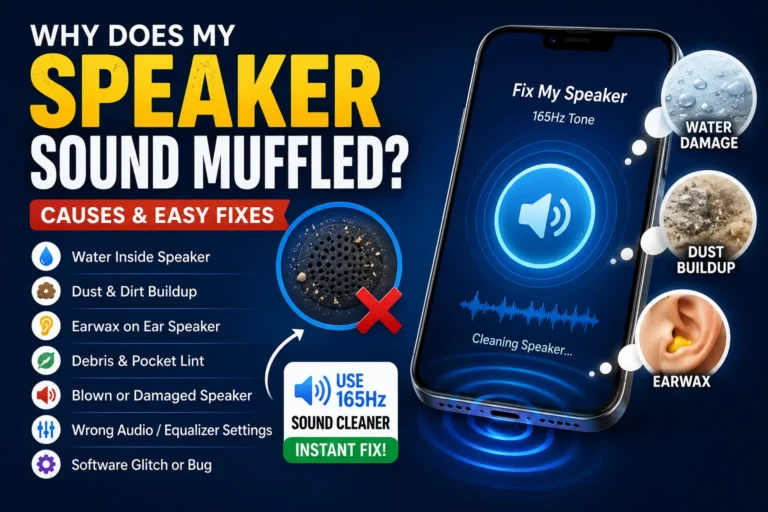
- Pocket lint and dust — Constant exposure in pockets and bags is the most common cause of muffled sound.
- Water exposure — Splashes, rain, sweat during workouts, or accidental drops in water can leave droplets sitting on the mesh or diaphragm.
- Skin oils and grime — Repeated handling near the earpiece speaker can leave a thin residue that dampens sound over time.
- Environmental debris — Sand, dirt, and food crumbs are common culprits for outdoor or kitchen use.
If left unaddressed, trapped debris can also lead to corrosion on internal contacts, especially with water, so cleaning sooner rather than later is worth doing.
Signs You Need to Clean Your Speaker
Watch for these common symptoms:
- Audio sounds muffled, crackly, or distorted
- Volume seems lower than usual even at maximum
- Sound cuts in and out intermittently
- A rattling or buzzing noise during playback
- Visible dust or moisture around the speaker grille
If you notice more than one of these signs, it is a strong indicator that dust or moisture — not a hardware failure — is the cause.
How Sound-Frequency Speaker Cleaner Apps Work
Most modern speaker cleaner apps rely on a simple principle: playing a sequence of low-frequency tones causes the speaker diaphragm to vibrate rapidly. These vibrations create enough force to:
- Loosen dust particles clinging to the mesh
- Push water droplets outward and away from the diaphragm
- Break the surface tension that keeps moisture trapped inside tiny vents
The process typically takes 15–30 seconds and is repeated a few times until the sound returns to normal. It is the same principle Apple Watch and many Android phones use in their built-in “Water Eject” shortcut.
Steps to Use a Sound-Based Speaker Cleaner Safely
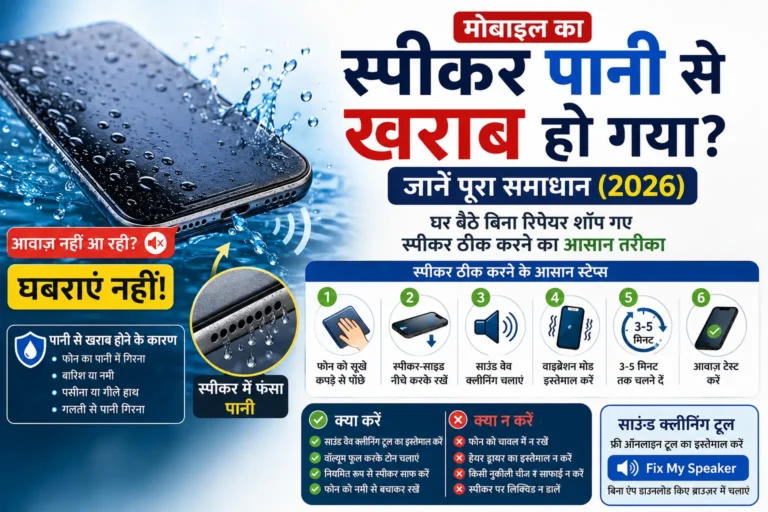
- Turn your device volume up to a comfortable but audible level.
- Point the speaker downward or to the side so loosened debris and water can fall away.
- Run the cleaning tone for the recommended cycle (usually under a minute).
- Wipe the speaker grille gently with a dry, lint-free cloth.
- Test the sound quality by playing music or a voice memo.
- Repeat once or twice if the sound has not fully cleared.
Manual Speaker Cleaning Methods
For visible debris or stubborn buildup, manual cleaning often works better than sound alone.
Soft-Bristle Brush
A clean, dry, soft-bristle brush (such as a new paintbrush) can gently dislodge lint from the grille without scratching the surface.
Compressed Air
Short, controlled bursts of compressed air held a few centimeters away from the speaker can blow out loose dust. Avoid pressing the nozzle directly against the grille.
Adhesive Putty
A small piece of non-residue adhesive putty (similar to what is used for cleaning keyboards) can be pressed lightly onto the grille to lift out fine dust without pushing it further in.
What to Avoid
- Sharp objects like pins or toothpicks, which can puncture the speaker mesh
- Water or liquid cleaners applied directly to the grille
- High-pressure air from an air compressor, which can damage the diaphragm
- Vacuuming directly over the speaker, which can create static or suction damage
Speaker Cleaner Tips for Different Devices
| Device Type | Recommended Method | Frequency |
|---|---|---|
| Smartphone (earpiece/loudspeaker) | Sound-frequency app + soft brush | As needed, roughly monthly for heavy users |
| Bluetooth/portable speaker | Compressed air + dry cloth | Every 2–3 months |
| Laptop speakers | Soft brush + compressed air | Every 3–6 months |
| Smartwatch | Built-in water-eject shortcut | After any water exposure |
Is It Safe to Use a Speaker Cleaner App Every Day?
Occasional use is safe, but daily use is not necessary and offers no added benefit once the speaker is clear. Overusing the vibration cycles does not clean any better and can be unnecessary wear on the diaphragm over the long run. Use it when you notice a real drop in sound quality or right after water exposure — not as a daily routine.
Frequently Asked Questions
Does a speaker cleaner actually work?
Yes, for the most common cause of muffled sound — dust and trapped water — sound-frequency cleaning and manual brushing are genuinely effective. They will not fix a physically damaged speaker driver, though.
Can a speaker cleaner fix a speaker that stopped working completely?
Not always. If there is no sound at all rather than muffled or distorted sound, the issue may be a hardware fault, software glitch, or Bluetooth connectivity problem rather than blockage.
Is it safe to use a speaker cleaner app on Bluetooth speakers?
Yes, as long as the app is reputable and the vibration cycle is short. For standalone Bluetooth speakers, manual cleaning with compressed air is often more practical than a phone app.
How often should I clean my phone speaker?
For most users, once a month is enough. If you work outdoors, exercise heavily, or live in a dusty environment, cleaning every couple of weeks is reasonable.
Can water damage happen even after using a speaker cleaner?
If water has already reached internal components beyond the speaker mesh, a sound-based cleaner will not reverse that damage. In that case, powering off the device and seeking professional repair is the safer route.
Conclusion
A speaker cleaner — whether it is an app using sound vibrations or a simple soft brush and compressed air — is one of the easiest ways to restore clear audio without any technical repair work. Most muffled or distorted speaker issues come down to dust or trapped moisture, both of which are easy to fix once you know the right method. Keep your speakers clean regularly, act quickly after water exposure, and your device’s sound quality will stay sharp for years to come.