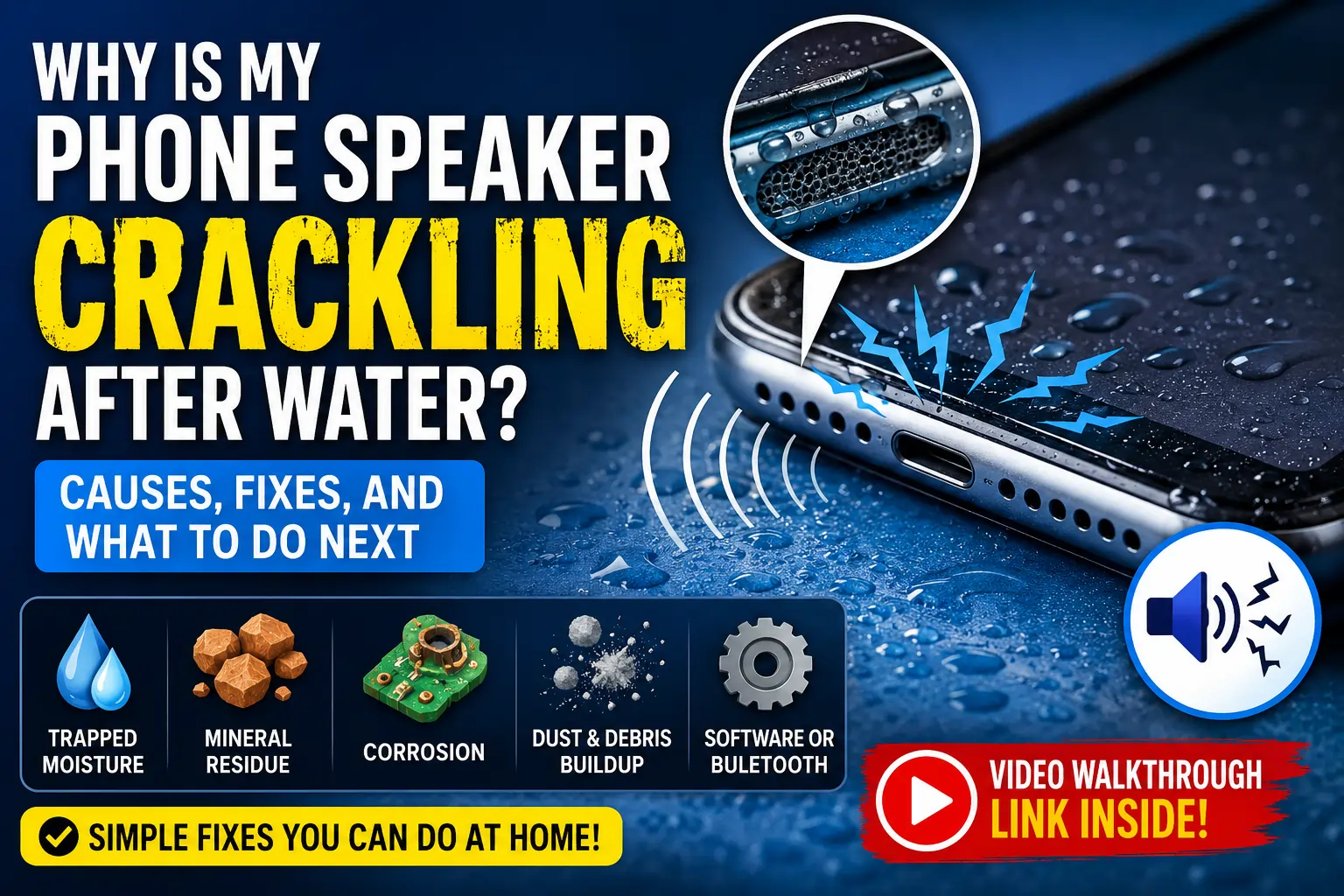
Why Is My Phone Speaker Crackling After Water? Causes, Fixes, and What to Do Next
Phone speaker crackling after water exposure? Here is exactly why it happens, how to tell trapped moisture apart from real damage, and the safest ways to fix it plus a video walkthrough.
That Awful Crackle Right After You Thought You Dodged a Bullet
Here is a scenario almost everyone has lived through at least once: your phone gets splashed, dunked, or rained on, you panic for a second, then you check the screen and — relief — it still turns on. Everything looks fine. Then you play a video, take a call, or turn up a song, and instead of clear audio you get a crackly, static-laced mess that sounds like it is coming through a walkie-talkie with a dying battery.
If that is exactly where you are right now, you are not dealing with something rare or mysterious. Crackling after water exposure is one of the most common phone complaints there is, and in the vast majority of cases it is fixable without a repair shop visit. But the fix depends entirely on why it is crackling — and that is the part most people skip past. This guide walks through the real causes behind the noise, how to tell a simple, temporary problem from a more serious one, and the safest steps to get your speaker back to normal.
A crackling speaker right after water exposure is common — but the right fix depends on what is actually causing it.
First, What Does “Crackling” Actually Mean?
It helps to separate crackling from the other water-related sound problems, because they point to different issues:
- Muffled or underwater-sounding audio usually means there is a layer of water still sitting across the speaker mesh, dampening the sound before it can escape clearly.
- Crackling or popping is a sign that the speaker’s diaphragm (the thin membrane that vibrates to produce sound) is being physically disrupted as it moves — either by trapped droplets breaking the vibration pattern, or by something more solid, like mineral residue or corrosion, interfering with the movement.
- Complete silence or a faint hum usually points to a more serious electrical issue, such as a short in the speaker’s wiring or driver.
Crackling specifically sits in an interesting middle zone. It can be a completely temporary, harmless symptom of water still working its way out — or it can be an early warning sign of corrosion setting in. The difference usually comes down to timing and pattern, which we will get into shortly.
The Real Causes Behind a Crackling Speaker After Water
1. Trapped Water Disrupting the Diaphragm
When water gets into the speaker chamber, it does not just sit there quietly — it interferes with the small, precise movements the diaphragm makes to reproduce sound accurately. Water droplets caught against or around the diaphragm cause it to vibrate unevenly, which the human ear registers as a crackly, distorted sound rather than a clean tone. This is the most common and, thankfully, the most fixable cause.
2. Mineral Residue Left Behind as Water Dries
Not all water is equal. Tap water, pool water, seawater, and drinks like coffee or soda all carry dissolved minerals and sugars. As the water dries, those minerals do not just disappear — they leave behind a thin, sometimes chalky residue on and around the speaker components. That residue can physically interfere with the diaphragm’s movement even after the liquid itself is gone, producing a crackle that lingers well past the point where the phone “feels” dry.
3. Early-Stage Corrosion
This is the cause worth taking seriously. If moisture reaches the tiny electrical contacts or circuitry connected to the speaker, it can trigger oxidation — the same basic process that turns metal rusty over time, just faster and on a much smaller scale. Corrosion changes how electrical signals travel to the speaker driver, and the result is often an inconsistent, unpredictable crackle: sometimes better, sometimes worse, sometimes gone for a moment and then back again. Left unaddressed, corrosion tends to get worse rather than better.
4. Dust and Debris Combining With Moisture
Water exposure rarely happens to a perfectly clean phone. Pocket lint, dust, and tiny debris that were already sitting in the speaker mesh can clump together once they get wet, creating a denser blockage than either water or dust would cause on its own. This combination is a common reason crackling seems to hang around even after a phone has visibly dried out.
5. Software or Bluetooth Confusion (Less Common, but Worth Ruling Out)
Occasionally, what sounds like water-related crackling is actually a coincidence — a Bluetooth device still holding a partial audio connection, a stuck volume setting, or a temporary software glitch that happened to show up around the same time as the water exposure. It is an easy possibility to rule out before assuming the worst.
Trapped moisture in the speaker mesh is the most common — and most fixable — reason for post-water crackling.
How to Tell the Difference: Simple Moisture vs. Something More Serious
This is the single most useful thing to figure out early, because it changes what you should do next.
Signs It Is Likely Just Trapped Moisture (Fixable at Home)
- The crackling is present right after the water exposure and sounds fairly consistent.
- Sound quality improves gradually over hours as the phone dries.
- Each time you test it, it sounds a little clearer than the last test.
Signs It May Be Corrosion or Deeper Damage (Proceed Carefully)
- The crackling comes and goes unpredictably rather than steadily improving.
- Sound seems to get better, then suddenly worsens again a day or two later.
- Crackling persists essentially unchanged after 24–48 hours of proper drying.
- You notice other symptoms too, like a warm spot near the speaker, a swollen battery, or the phone shutting off unexpectedly.
If your situation matches the second list, it is worth having a technician look at it sooner rather than later — repeated testing and DIY attempts on a corroding board can sometimes accelerate the damage.
Step-by-Step: How to Fix Crackling Caused by Trapped Water
If your symptoms line up with the “simple moisture” pattern, here is the order of operations that gives you the best shot at a full recovery without any risk to the phone.
Step 1: Power It Down (If You Have Not Already)
If the phone is still wet or was recently exposed, turning it off reduces the risk of a short circuit while any residual moisture is present.
Step 2: Dry the Exterior Gently
Use a soft, absorbent cloth to pat down the outside of the phone, including around the speaker grille, charging port, and buttons. Avoid shaking the phone vigorously, since this can push water further into the internals rather than out.
Step 3: Let It Rest Before Doing Anything Else
Give the phone at least 15–20 minutes sitting speaker-down on a dry towel in a well-ventilated spot. This lets gravity do some of the initial work before you try anything more active.
Step 4: Use a Low-Frequency Sound Cycle to Eject the Water
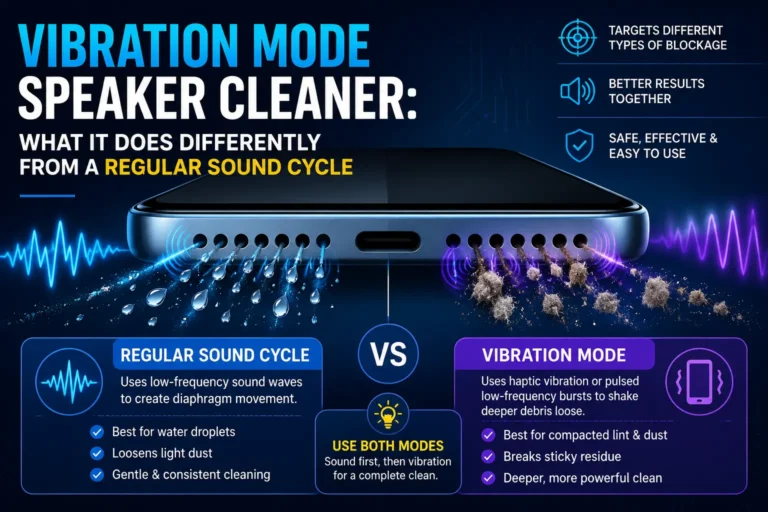
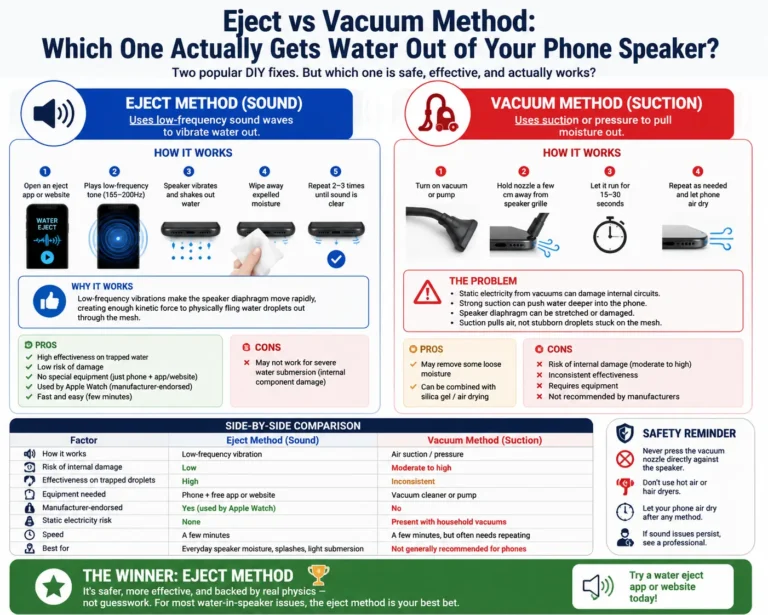
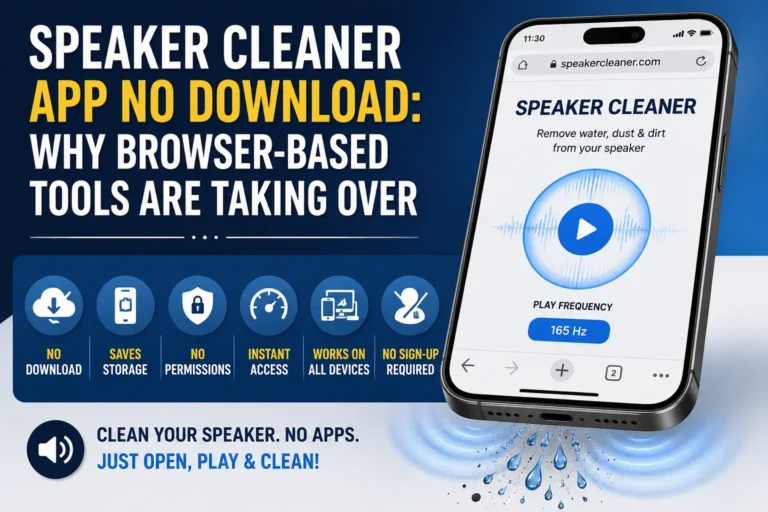
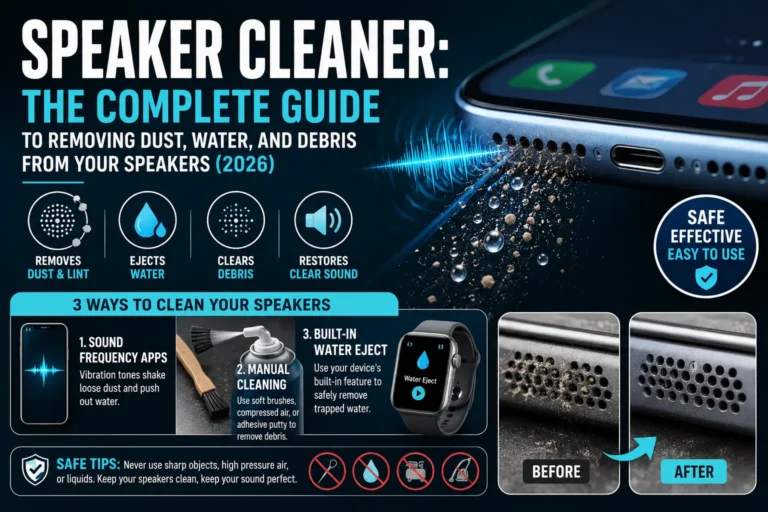
This is where a browser-based or app-based speaker cleaner comes in. These tools play a calibrated low-frequency tone — often somewhere in the 150–200 Hz range — that makes the speaker diaphragm vibrate strongly enough to physically push trapped water out through the mesh. It is the same underlying principle used in the water-eject feature built into modern smartwatches.
To use one effectively:
- Remove the phone case completely.
- Set the media volume to maximum.
- Tilt the phone so the speaker faces downward.
- Run the tone for 30–60 seconds, then check the sound.
- Repeat two to three times if needed, checking for improvement after each cycle.
Step 5: Check for Visible Moisture
Shine a flashlight at an angle across the speaker grille. If you can see fogging or droplets, give the phone more time and repeat the sound cycle once more before moving on.
Step 6: Test With Real Audio
Play a voice note, a song, or make a short call. Crackling caused purely by trapped water usually clears up noticeably after one or two cycles, even if it takes a couple of rounds to fully disappear.
Step 7: Avoid Rice, Heat, and Sharp Objects
It is worth repeating because these three mistakes are still common:
- Rice takes days to work and can leave behind starchy dust that clogs the speaker further.
- Hair dryers and other heat sources can push moisture deeper into the phone and damage internal adhesives.
- Toothpicks, pins, or cotton swabs pushed into the grille risk puncturing the delicate diaphragm behind it, turning a fixable problem into a genuinely broken speaker.
Watch the Process in Action
Seeing the full process from start to finish makes it much easier to follow along at home. Here is a walkthrough covering what to do the moment water gets into your phone’s speaker:
📺 Video: Water Got Inside the Speaker — What You Should Do
https://www.youtube.com/watch?v=7Z_2WZlAtqw
What If the Crackling Does Not Go Away?
If you have gone through several sound cycles, given the phone proper drying time, and the crackling either has not budged or has gotten worse, it is a reasonable signal that something beyond simple trapped moisture is going on. A few next steps worth considering:
- Give it one full day of complete rest without powering on, charging, or testing repeatedly — excessive testing on a still-wet board can sometimes worsen a marginal short.
- Check for other symptoms like warmth, battery drain, or camera/microphone issues, which can indicate the moisture reached beyond just the speaker area.
- Have a professional check for corrosion. If mineral deposits or oxidation have formed on the speaker contacts, a technician can often clean the board with isopropyl alcohol and a soft brush — a more thorough version of what any sound-based tool can achieve on its own.
- Weigh repair cost against replacement, especially on older devices, since speaker driver replacement is usually a relatively affordable, quick repair compared to full board damage.
Preventing This From Happening Again
A little bit of habit change goes a long way:
- Use a water-resistant case if you are regularly near pools, the beach, or rainy environments.
- Keep the phone away from direct water sources during activities like washing dishes, showering, or cooking near steam.
- Run a quick sound-based cleaning cycle every couple of weeks even without any water exposure — this helps clear ordinary dust and lint before it packs tightly enough to cause its own crackling.
- Dry your hands and the phone’s exterior before handling it after time near water, since even small amounts of moisture on your hands can transfer into the speaker grille.
Frequently Asked Questions
Why does my phone speaker crackle only at high volume after getting wet?
Higher volume makes the diaphragm move more forcefully. If there is still trapped water or debris restricting that movement, the distortion becomes much more noticeable at higher volumes than at low ones.
How long should I wait before assuming it is permanent damage?
Give it 24–48 hours of proper air-drying combined with a few sound-based cleaning cycles. If there is no improvement — or if the sound gets worse rather than better — it is reasonable to suspect something beyond simple moisture.
Can crackling from water go away completely, or will it always come back?
In most cases involving only trapped moisture, once the water is fully ejected and the phone is dry, the crackling resolves completely and does not return unless the phone gets wet again.
Is it safe to keep testing the speaker every few minutes while it dries?
Occasional testing is fine, but constant repeated testing does not speed up drying and can be a minor added stress on a phone that might still have a marginal electrical issue. Space out your checks rather than testing every couple of minutes.
Does crackling always mean the speaker is damaged?
No. Crackling is a symptom, not a diagnosis on its own. It is just as often caused by simple trapped water or dust as it is by actual hardware damage — which is exactly why identifying the pattern of the crackling matters so much before deciding on a fix.
Will a screen protector or case make water damage worse?
A tightly fitted case, especially near the speaker cutout, can trap water against the grille rather than letting it evaporate. Removing the case during the drying and cleaning process is a good habit.
Final Thoughts
A crackling speaker right after water exposure is alarming, but it is rarely the disaster it sounds like in the moment. Most of the time, the noise is simply trapped water disrupting the diaphragm’s normal movement — a problem that a careful drying routine and a low-frequency sound cycle can resolve within minutes to hours, not days. The key is paying attention to the pattern: steady improvement points to moisture working its way out naturally, while unpredictable or worsening crackling is the signal to stop experimenting and get it looked at properly.
Skip the rice, skip the hair dryer, and resist the urge to poke at the grille. A little patience, the right sound-based technique, and a bit of pattern-watching will get most water-exposed speakers back to sounding completely normal.
Dealt with a crackling speaker after a water mishap? Let us know what worked for you in the comments, and share this guide with anyone who has just had their phone take an unexpected swim.